
The Product Pick up Points menu allows alternative locations and addresses to be stored against products that have multiple pick-up and drop-off locations e.g. Tour pick up locations.
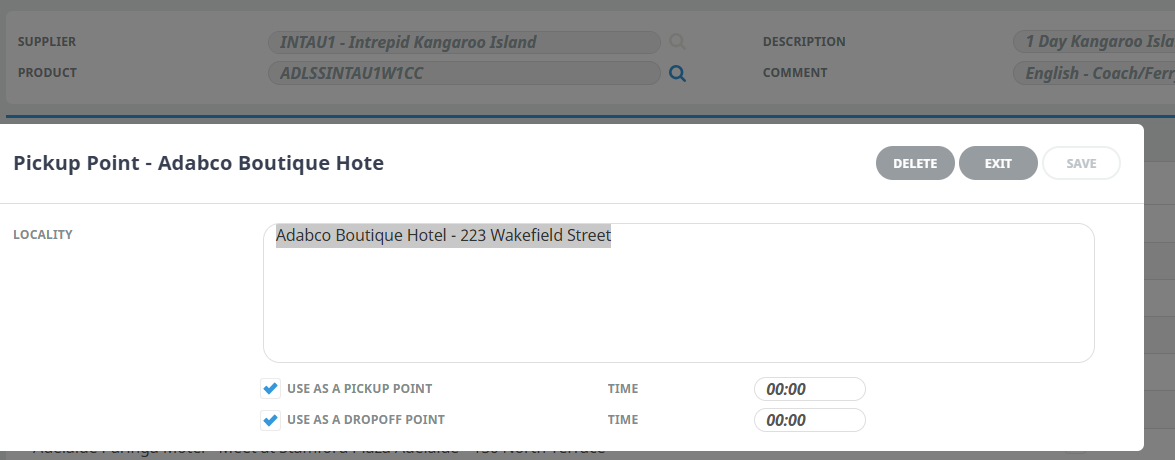
- Click Insert to add a new entry.
- Enter the Locality information and use the check boxes to assign if the locality can be used as a pick-up point and/or drop-off point and click OK to keep changes.
- Click Save to keep the changes.
- Click Exit to discard any changes.
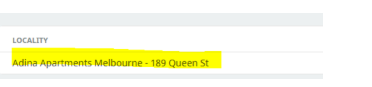
See below for example wording
Adabco Boutique Hotel – 223 Wakefield Street

**Maps may only display a street and no number, if that’s the case, just the street name is ok.
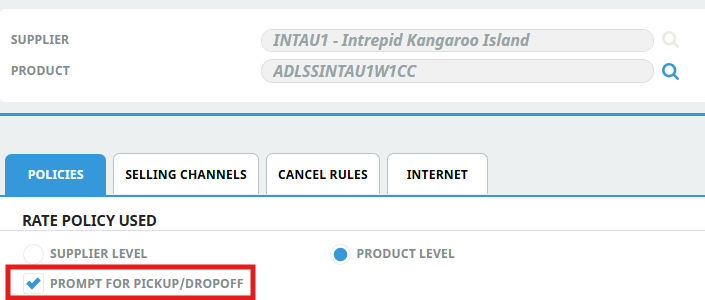
- Tick pick up/drop off if pick up points are loaded. This is essential especially in mapped services.
How to add pick up points to those suppliers that do not include transfers?
Most info should be available in the operates notes (eg departure locations and times) that can be added to the pick up points for each option. Please also include the pre-check in time (can be found in PKN).
See below for example wording
9:45 Departs Across Australia office – 350 Kent Street (Check in 30 mins prior)
DAIFN7 | Daintree River Cruise Centre | no transfers included |
SPICN1 | Spirit of Cairns | no transfers included |
PACHVB | Pacific Whale Foundation Eco-Adventures Australia | no transfers included |
WHIA17 | Whitsunday Sailing | no transfers included |
OUTAS3 | Outback Cycling | no transfers included |
TWOPER | Two Feet and a Heartbeat | no transfers included |
MELMEL | Melbourne River Cruises | no transfers included |
GORTAS | Gordon River Cruises | no transfers included |
HARSY5 | Harbour Days Sailing Experience | no transfers included |